I Gave AI Access to My Personal Backend
August 18, 2026
A few months ago, I wrote about Atlas, my personal backend. It keeps track of my books, movies, habits, finances, workouts, and an increasing number of other things.
One of my favorite parts was Alfred, a simple AI assistant built directly into Atlas. I could ask it questions about my data instead of clicking through the dashboard. It worked pretty well, but every other AI tool I used still knew nothing about Atlas.
Recently, I added an MCP server to Atlas. Now any AI client that supports MCP can discover my data, query it, and use a small set of tools to update it.
The Problem with My First Approach
My original setup was simple. Before every conversation, Atlas read the entire SQLite schema and put it into Alfred's system prompt. It also had a hardcoded list of tables that Alfred was allowed to query.
That was fine when Atlas was small. It now has around 30 tables, while most questions need only one or two. Every new table also had to be manually added to Alfred. I could build an entire page around a new feature and then completely forget to make it available to the assistant.
Giving Atlas an MCP Server
MCP is a standard for connecting AI clients to external tools and data. I added an MCP endpoint to the existing Bun and Hono backend and exposed three read tools:
list_tablesreturns the available tables with short descriptionsdescribe_tablereturns the real SQLite schema for one tablequery_databaseruns a read-only SQL query and returns JSON
Letting the Assistant Find Its Way
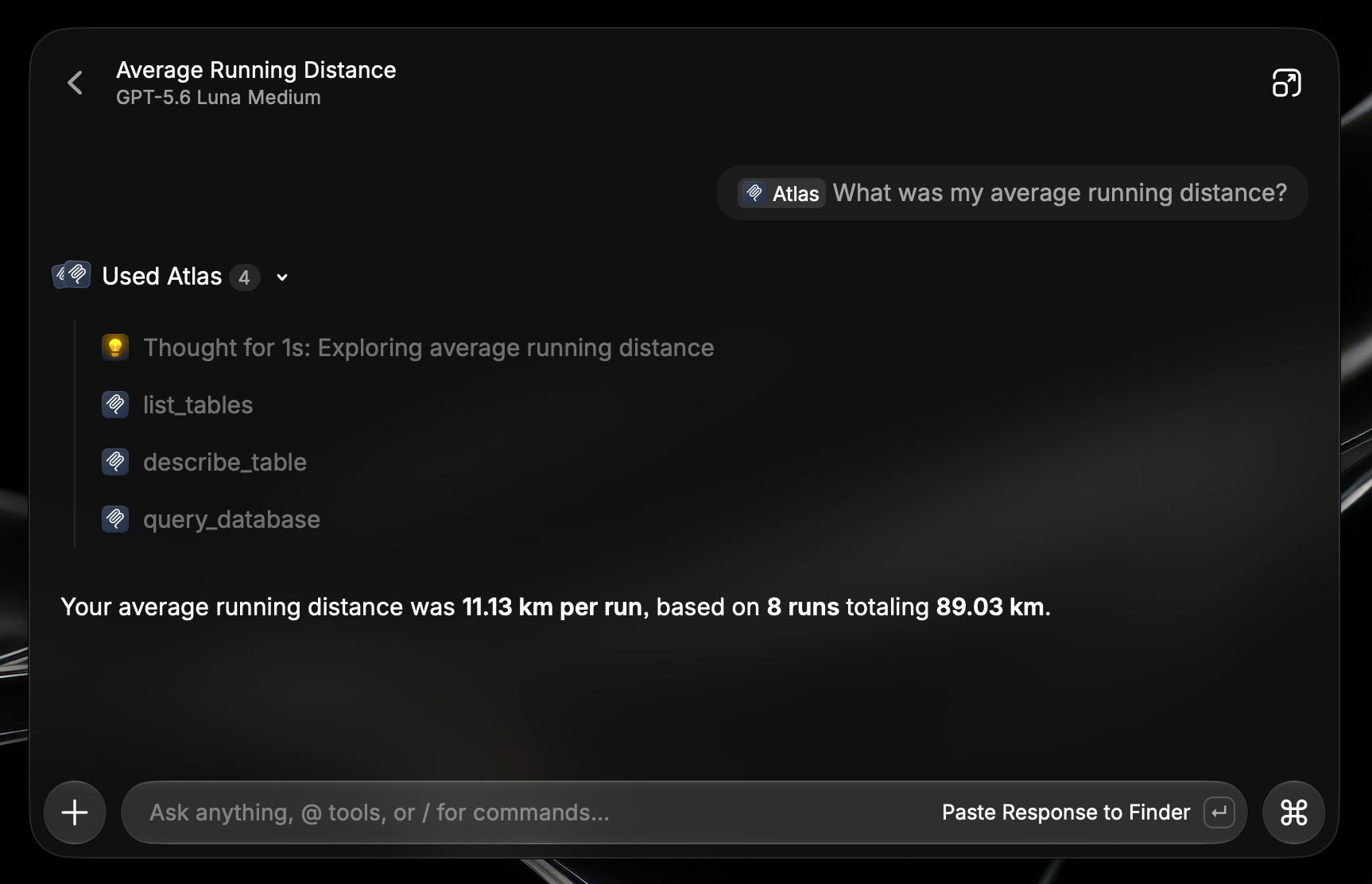
Imagine I ask: "What was my average running distance?" The assistant first finds the relevant table, inspects it, and writes a query based on the actual column names.
Find the part of Atlas that contains running data.
list_tables()
[
  {
    "table": "run",
    "description": "Running workouts, GPS logs, heart rate, and stats."
  },
  ...
]
describe_table reads the DDL directly from SQLite and adds a few hints, such as durations being stored in seconds or booleans using 0 and 1. If a query fails, Atlas returns the relevant schema with the error so the assistant can fix its next attempt.
Keeping Raw SQL Read-Only
Giving an LLM unrestricted access to my personal database sounds like a questionable weekend project, even by my standards. The query tool accepts only SELECT statements and read-only WITH queries. Mutating keywords such as INSERT, UPDATE, DELETE, and DROP are blocked before SQLite sees them.
SQL works great for questions I did not predict while building the dashboard. For writes, I use specific tools that understand the action being performed.
Adding Carefully Chosen Write Tools
I started with editing notes, adding media, completing habits, and logging activities. Notes needed the most care. Atlas checks the note revision before every edit, and replacements have to match one exact piece of text. If the text appears twice, the operation fails instead of guessing which paragraph I meant.
Adding books and movies uses a two-step flow. The assistant first searches TMDb or Google Books, then adds the item using the selected provider ID. Atlas fetches the metadata and checks for duplicates in the same way as the regular interface.
The remaining tools can mark a habit as completed or record a run, focus session, or bookmark. The mutation flows also support a requestId, so a retry does not add the same book or run twice. Network retries are normal; duplicate personal records are just annoying.
Where It Fits
I still use the dashboard for browsing collections and checking charts. MCP is useful for questions I never designed a screen for, such as which habits I neglect on weekends or how my recent runs compare with older ones.
Atlas started as a habit tracker and slowly swallowed most parts of my life. Apparently the next step was teaching every AI assistant where I keep everything.
Drop a heart if this sparked something for you!